



 Back to Blog Home Page
You’re buried in scheduling emails, manually posting jobs to a dozen boards, and chasing interview feedback days after conversations end. Meanwhile, the candidates who should have priority—the ones you should be building relationships with—are waiting for responses you don’t have time to send.
Here’s the truth: automation isn’t about replacing recruiters. It’s about giving you time back to do what you do best—connect with people, build your Rolodex, and make strategic hiring decisions that move your business forward. According to our 2025 Recruiter Nation Report, 76% of talent teams are planning a tech stack refresh within the next two years, so you’re not alone in rethinking where recruitment automation software fits into your strategy.
TL;DR: This guide shows which recruitment processes to automate first, common mistakes to avoid, and best practices to get the most out of your tools.
Where to automate in recruiting (and where you shouldn’t)
The goal of automation isn’t efficiency for efficiency’s sake—it’s freeing your team up to focus on people-oriented work. More than half of recruiting teams (55%) say AI and automation have sped up time to hire, while 49% also report higher recruiter productivity. As AI evolves and teams learn to use these tools, what tasks you automate can have a dramatic impact as to how much value this software can add. Here’s some of the tasks to prioritize or avoid, including first hand experience from your peers:
Where automation shines (so you can focus on candidates)
1. Job posting distribution: Posting to multiple job boards manually wastes hours every week. Automation distributes openings across platforms simultaneously, so you can spend that time crafting compelling job descriptions or reaching out to passive candidates.
2. Candidate sourcing and rediscovery: AI sourcing tools search databases, LinkedIn profiles, and your ATS to surface qualified candidates and reconnect you with previous applicants who match current roles—eliminating hours of manual profile review.
3. Resume screening and ranking: AI-powered screening matches applicants against criteria and delivers ranked shortlists in a prioritized order with transparent scoring. This means you review only candidates who meet essential requirements, freeing time for deeper conversations with top prospects.
4. Interview scheduling coordination: Automated scheduling syncs with calendars, enables candidate self-booking, and handles reschedules without a dozen emails. As an example, a consulting professional at a mid-market company explained how his recruitment automation software helps: “Lever makes scheduling my candidates for interviews a piece of cake. It’s a great snapshot of all of the folks I have in my pipeline and need to keep in touch with. The tools for emailing are great and I love the Easy Book feature that I use daily.”
5. Follow-up email sequences: Automated email campaigns keep candidates engaged during longer hiring processes without manual effort. One head of global talent acquisition at a mid-market company shared: “We were previously using spreadsheets and random tools to track candidates, and it was a mess. Lever keeps everything in one place, which honestly saves us a lot of time. We’ve also automated a bunch of small tasks like follow-up emails, so we’re not stuck doing admin work all day. It’s helped us stay more organized and spend more time actually talking to candidates.”
6. Interview scheduling & feedback collection: AI interview tools can help transcribe conversations, collect feedback instantly, schedule interviews, and more, so interviewers focus on the candidate instead of frantic note-taking. A trust and safety specialist at an enterprise company noted, “The automation features—such as email sequences, interview scheduling, and workflow triggers—significantly reduce manual tasks. I use these daily to maintain candidate engagement and streamline repetitive communications.”
Where human touch matters most (never automate these)
1. Direct candidate conversations: Personalized outreach to high-value candidates requires context, empathy, and authenticity. Generic automated messages feel robotic and damage your employer brand.
2. Complex negotiations and offers: Compensation discussions, offer negotiations, and addressing candidate concerns require human judgment, flexibility, and relationship-building—not templates. These conversations can be high stakes and emotional, two areas best handled by you and your team.
3. Sensitive feedback or rejections: Candidates who’ve invested time in your process deserve thoughtful, personalized communication—especially when delivering difficult news. These high touch moments, when handled appropriately, mean you have a breadth of people to help with future referrals or return to if a new role fits their background.
Common Automation Mistakes That Hurt Candidate Experience
Automation can backfire when teams forget its purpose: supporting human connection, not replacing it. Here’s where things go wrong:
1. Over-automating candidate communication: The biggest mistake? Automating every touchpoint. Candidates can immediately tell when communication lacks personalization. Use your software for scheduling and reminders, but personalize messages when you’re engaging directly with individuals, especially passive candidates or finalists.
2. Prioritize data privacy and human oversight: Nearly three out of five HR decision-makers (59%) rank data privacy and security as the top factor when evaluating AI recruitment software, closely followed by human oversight (58%), and explainability (50%). Effective automation must be transparent, governed, and designed to support—not replace—recruiter judgment.
3. Build governance policies early: Almost half of organizations (49%) already have formal AI governance policies, with another 38% piloting them. Establish clear rules around data use, bias monitoring, and candidate transparency before rolling out automation.
4. Use automation to improve team collaboration: Tools can help set up in the background procedures that keep your whole team on the same page. As a trust and safety specialist at an enterprise organization explained: “Lever is solving critical challenges around streamlining the hiring process, improving collaboration across hiring teams, and maintaining visibility into recruiting pipelines. Lever centralizes all candidate information, feedback, and actions in one platform, eliminating silos and ensuring that everyone involved in the hiring process is aligned and informed in real time.”
5. Monitor performance and continuously optimize: Track how automation impacts your hiring metrics with recruitment analytics to identify what’s working and where human touch is still needed.
Lever’s People-First Approach to Recruitment Automation
At Lever, automation isn’t about removing recruiters from the equation—it’s about empowering them to focus on what technology can’t replace: human connection, strategic thinking, and relationship-building.
Here’s how Lever keeps automation people-first:
- Automation that enhances, not replaces: From sourcing to screening to interview support, Lever’s automation handles repetitive admin work; this allows your team to spend time on high-value activities—personalized outreach, candidate conversations, and strategic hiring decisions. Advanced HR features automate approvals, requisition management, and workflow triggers without adding complexity. As put by a recruiter at a mid-market company, “As a single recruiter for more than 50 openings, I’m more efficient than ever. I utilize LinkedIn Recruiter search that seamlessly integrates with Lever and helps me track potential applicant reach outs. There are automated nurture email campaigns and many other features that ensure I’m as efficient as possible. These tools help me reach and get engagement from candidates, FAST!”
- Transparency and control: Recruiters maintain full visibility into how AI makes recommendations, with the ability to adjust, override, and customize workflows to match their unique process. A head of global talent acquisition at a mid-market company shared: “I really like how clean and easy the UI is—super intuitive. We didn’t need much onboarding time, which helped since we had to move fast (setup was fast and didn’t require much support). It’s become a core tool for us, we use it constantly.”
- Comprehensive analytics for continuous improvement: Lever’s recruitment analytics software provides real-time visibility into pipeline health, diversity metrics, and time-to-hire—empowering teams to prove ROI and refine their automation strategy based on data. A trust and safety specialist at an enterprise company observed, “Reporting is comprehensive, offering dashboards and exportable reports to track pipeline health, diversity metrics, and time to hire.”
- End-to-end integration: Lever syncs seamlessly with hundreds of human resources (HR) systems and recruitment tools. An HR operations supervisor at a mid-market company explained, “Lever is streamlining our recruitment process from requisition to offers (soon to even be preemployment screens). Before Lever everything was manually done—posting on all of the job posting sites, manually signing reqs via DocuSign and saving the complete docs in eFiles, all resumes were gone through manually and candidates were pushed through the pipeline manually as well. There was so much room for error.”
Recruiting automation isn’t about replacing human judgment—it’s about giving recruiters time back to use it. When you automate the admin work and personalize the human connection, your team works smarter, hires better, and builds relationships that matter.
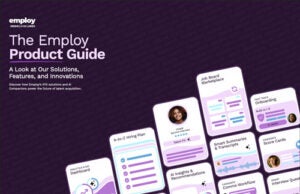
Download The Employ Product Guide to see how Lever handles automation with a people-first approach, or request a demo to experience it in action.